Security checkup
Check 15 sensitive spots in Windows and fix weaknesses in one click.
In this article
Security checkup examines 15 sensitive points in Windows, from the firewall to disk encryption. It gives your computer a score out of 100 and tells you how important each weakness is and how to fix it.
Where in the app Tools Security checkup
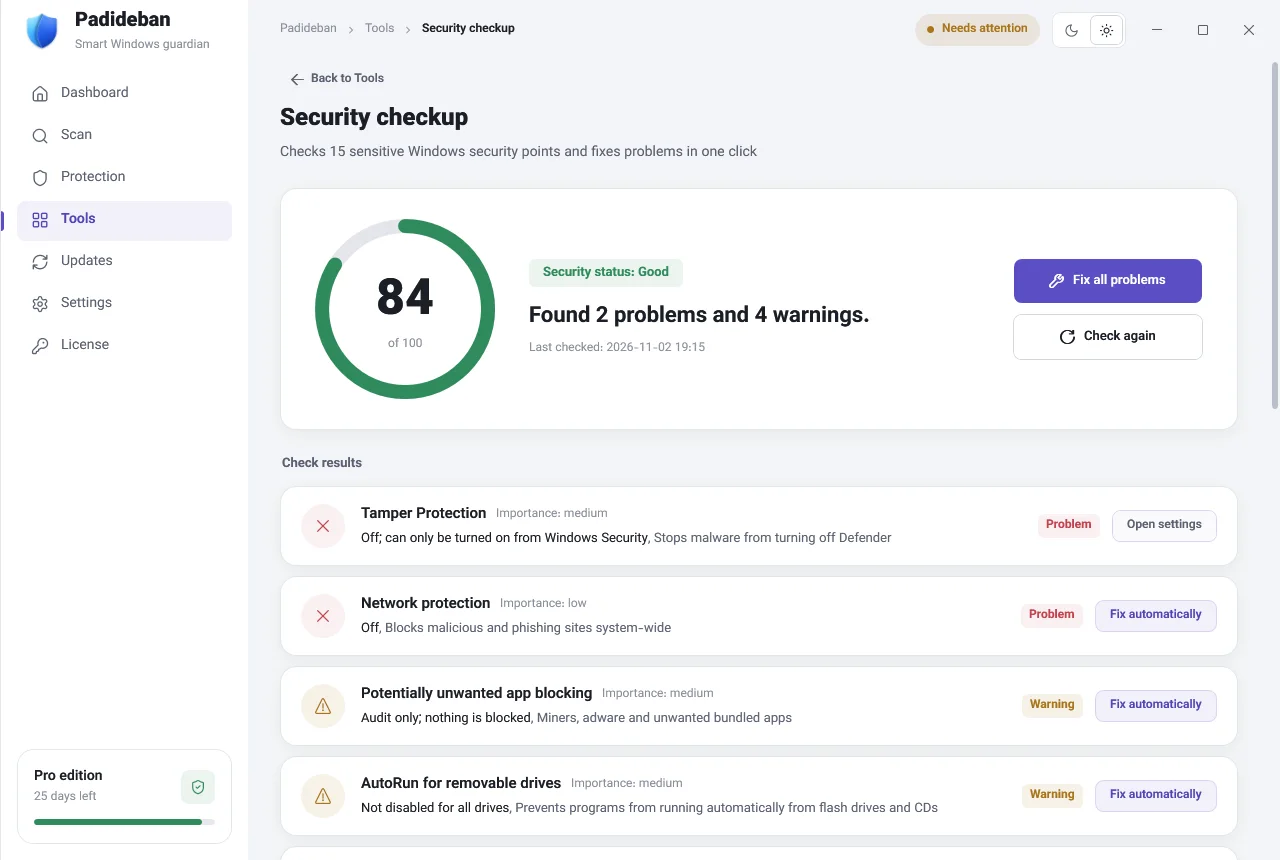
Score and summary
The ring at the top of the page shows your Windows security score out of 100. Next to it you’ll see the “Security status” (for example “Good”) and a summary such as “Found 1 problem and 4 warnings.” “Check again” runs the checkup again; do this after you fix each item.
Check results
Each row is one check, with an “Importance” level (for example low or medium) and a “Problem” or “Warning” label. Some examples:
- “Network protection”: Blocks malicious and phishing sites across the whole system.
- “Potentially unwanted app blocking”: Stops unwanted bundled programs, such as adware and miners, from being installed.
- “AutoRun for removable drives”: Prevents programs from running automatically from flash drives and CDs.
- “Disk encryption (BitLocker)”: Protects your data if your computer is lost or stolen.
Fixing problems
- “Fix automatically”
- Padideban applies the correct setting for you.
- “Open settings”
- For items such as BitLocker that you need to change yourself in Windows. The right settings page opens directly.
- “Fix all problems”
- Fixes every item that can be fixed automatically, all at once.