System inspection tools
Network connections, processes, startup apps, browser extensions, network trust and more.
In this article
The “Tools” page shows you what’s going on inside Windows: which apps connect to the internet, what starts with Windows, which browser extensions were installed without your permission, and which programs are outdated and vulnerable.
Where in the app Tools
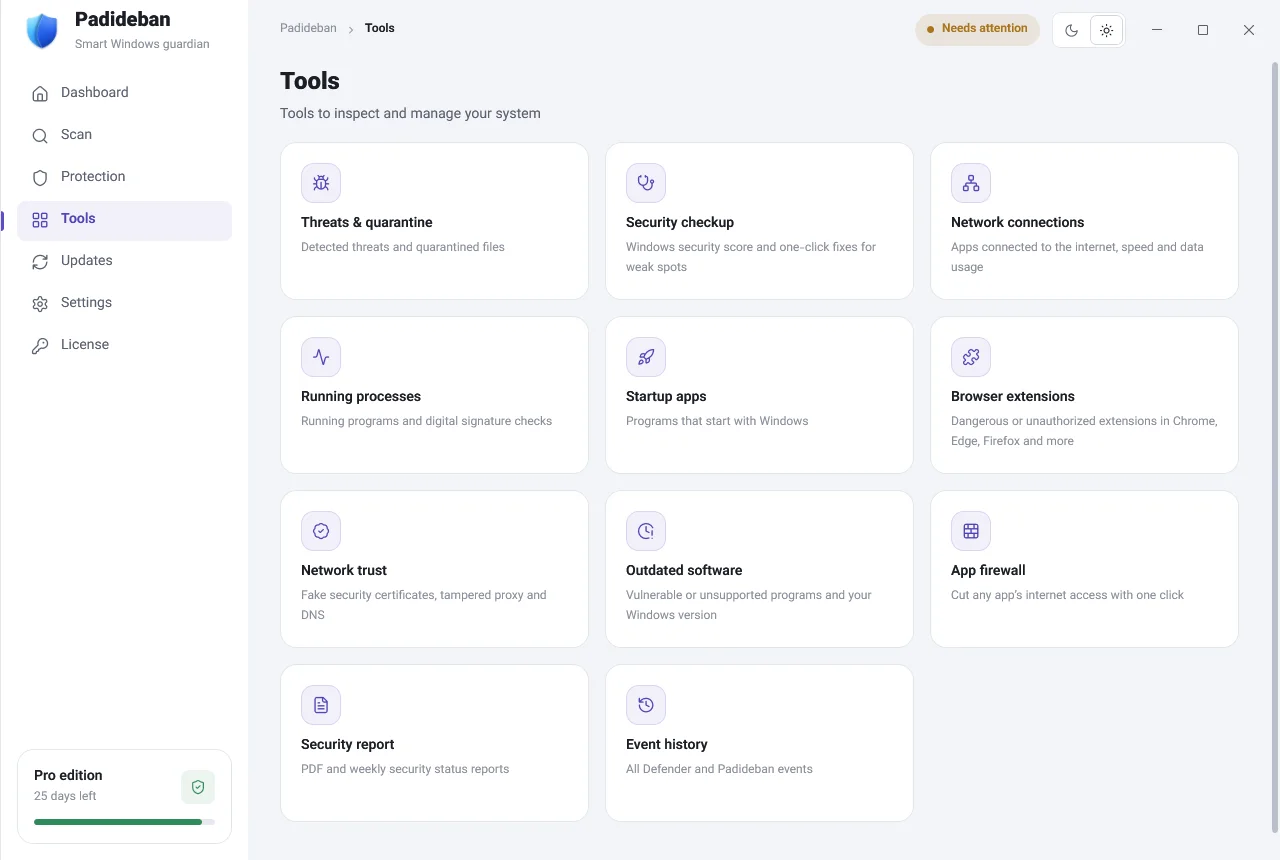
Tools at a glance
| Tool | What it does | Free | Pro |
|---|---|---|---|
| “Threats & quarantine” | Detected threats and quarantined files | View and clean | Restore and allow |
| “Security checkup” | Your Windows security score and fixes for weak spots | Check and fix instructions | Automatic fixes |
| “Network connections” | Apps connected to the internet, their speed and data usage | — | Everything |
| “Running processes” | Running programs and digital signature checks | View and check | “Block internet” |
| “Startup apps” | Programs that start with Windows | View and restore | Turn on/off, remove entries, automatically block dangerous items |
| “Browser extensions” | Dangerous or unauthorized extensions in Chrome, Edge, Firefox and more | Manual check and “Guide me” | Automatic checks, disable and remove |
| “Network trust” | Fake security certificates, tampered proxy and DNS settings | Manual check | “Automatic monitoring” and “Fix” |
| “Outdated software” | Vulnerable or unsupported programs and your Windows version | Manual check and “Download from official site” | Daily checks |
| “App firewall” | Cut any app’s internet access with one click | — | Everything |
| “Security report” | PDF and weekly security status reports | — | Everything |
| “Event history” | All Defender and Padideban events | Everything | — |
In the table above, “Restore” for any change Padideban made is always free. Learn more.
Processes and startup
“Running processes” shows next to each program whether it has a valid digital signature. An unsigned program that runs from a folder like Temp, or whose name looks like a Windows file, is the most suspicious kind.
In “Startup apps” you can turn off programs that start with Windows for no good reason. Entries you remove stay under “Deleted items (can be restored)”, and “Restore” brings them back.
Browser extensions and network trust
Some malicious programs add a browser extension that shows ads or changes your searches, or install a fake security certificate and a proxy so they can see your traffic. These two tools find exactly that. “Guide me” shows you step by step how to remove an extension from your browser yourself.
App firewall and reports
- “Block an app’s internet”: Choose a program and it can no longer connect to the internet. “Restore internet” lets it back online.
- “Security report”: “Create report” builds a summary of your security status, which you can keep with “Save as PDF” or “Save as web page”. “Automatic weekly report” creates one every week.